




Technology myths spread fast, stick hard, and refuse to die quietly. Somehow, between a cracked phone screen and a laptop that’s slowing down, advice that sounds smart and promises an easy fix is passed along. Just rub toothpaste on glass, or bury your phone in rice. Browse incognito to get lower prices and download more RAM to boost your machine. These ideas thrive because they offer a shortcut and a cheap, easy way out.
Modern technology is complex, layered, and often invisible. Because we can’t see the encryption at work, or a chip rusting from moisture, we don’t understand how modern technology works. And that’s okay. We don’t need to know how pricing algorithms decide prices in real time, or what all those phone codes actually do. They’re there for a reason, and it’s not to trick us. Unfortunately, social media, viral videos, and confident “lifehack” articles make all these myths sound and feel like facts. They’re repeated so much, we simply think they’re true.
Debunking the lifehack myths is about helping people not fall for make-believe advice that can often do more damage than good. It’s about safety, efficiency, and preventing damage. The real solutions are often more boring and more complex, and they can’t always fit into a 15-second “how to” clip. So let’s take a look at some of the most common tech lifehacks and see why they don’t work.
Repairing a cracked phone screen with toothpaste

For years, one of the more persistent tech hacks has been the idea that toothpaste can magically fix a cracked phone screen. The story goes something like this. You smear a dab of minty-fresh paste over the cracks, rub it in, and voila! Your screen should look good as new. But this is just another DIY piece of advice that sounds outlandishly plausible but in reality doesn’t work. In reality, you need to replace the screen or take it as a sign that it’s time to replace your phone.
This myth originated from the fact that people used to use toothpaste to buff out scratches on old CDs or car headlights. The mild abrasive nature of toothpaste can smooth out surfaces, as it acts as a polish. But somehow, this polishing idea got transferred to phone screens in online videos and “how to” articles. And before you knew it, everyone from your neighbor to a YouTube “expert” had tried it.
Toothpaste does nothing at all to repair a cracked screen. Modern smartphone displays aren’t just made of glass. They’re layered with delicate materials like touch sensors and oleophobic coating that repels fingerprints. Toothpaste’s abrasive particles can wear away that coating. But it’ll also seep into the cracks and cause trouble with touch sensors. Toothpaste can’t magically heal or bond cracked glass.
That rice trick for water-damaged phones

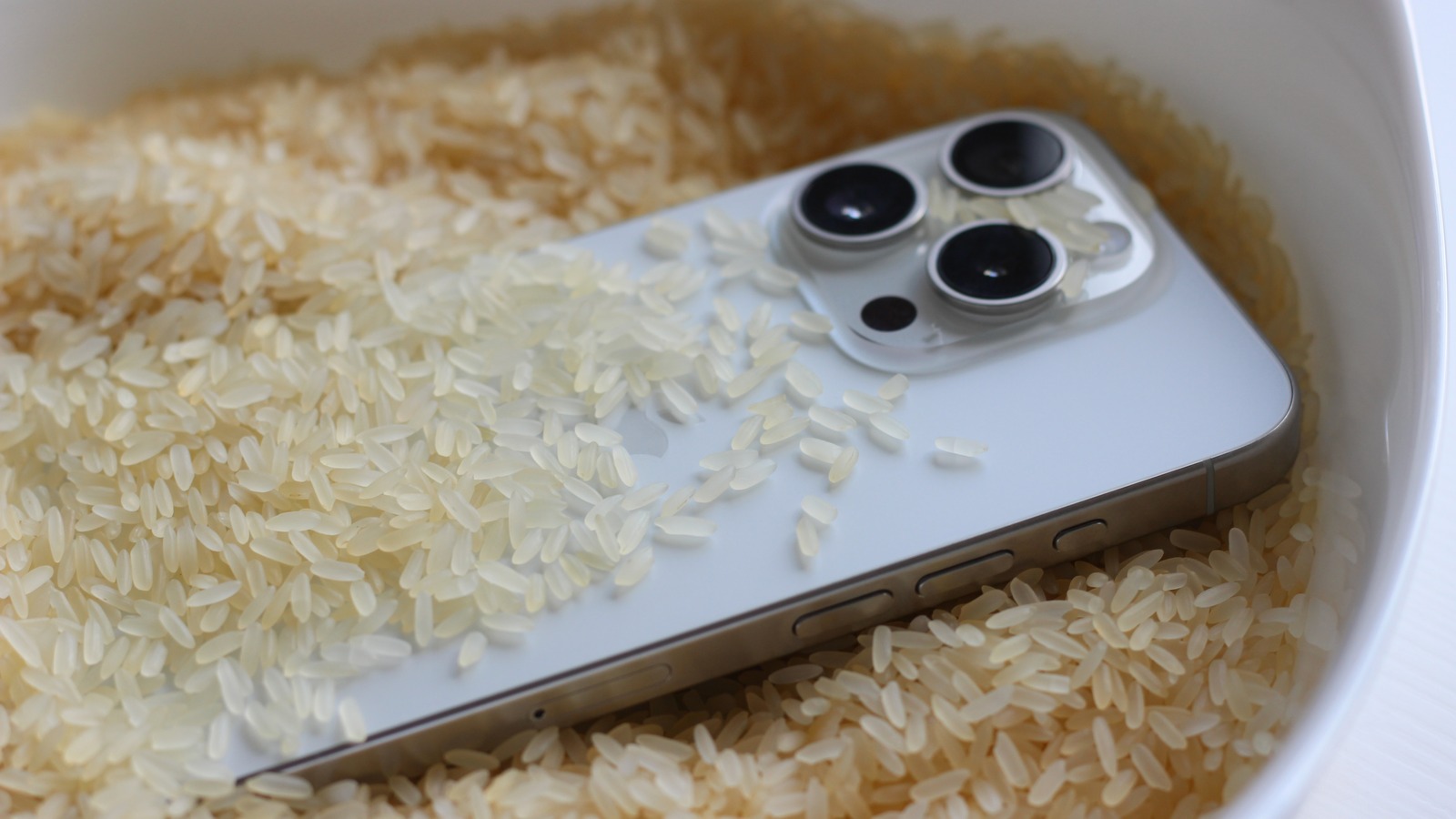
When your phone plunges into water, panic sets in fast. Among the first rescue ideas many people reach for is a bowl of uncooked rice. We all hear it, and let’s admit it, we all at least thought of trying it. The logic is simple and sounds so plausible: Rice absorbs water, so it should wick moisture out of a soaked phone, right? Sadly, this popular trick is just another myth. Even Apple said not to use rice to dry your iPhone.
Yes, rice really can soak up water in your kitchen. And by around 2014, somebody had come to the bright conclusion that rice can, therefore, dry out just about anything, including phones. This idea stuck like a stubborn meme. But the truth is rice can absorb only the surface moisture, and it does it over a long period of time. What about the water that seeps deep into the phone and rusts all the delicate circuits and connectors? Rice can’t attract moisture from the tiny internal gaps where water does the most harm.
Even worse, covering your water-damaged phone in rice will only slow down the drying process. It’s simply faster to let your phone air dry. Also, rice particles can enter the tiny cracks and openings on your phone, make it look dirty, and in the worst case scenario, cause some serious damage to the speakers and other internals.
Downloading more RAM

Now that AI is driving memory prices through the roof, this viral “hack” might be making a comeback. The idea that you can somehow download memory that’ll boost your computer sounds great. It’s no wonder the phrase “download more RAM” became such a famous tech joke. But jokes that are obvious to some people aren’t so obvious to others. Many people actually believed they could download more random access memory (RAM) and save their old, failing computers. This myth is deeply rooted in a misunderstanding of how computers work.
The phrase first popped up in the early 2000s on tech forums. The less tech-savvy users asked where they could download more RAM. Some believed RAM was a file or an app that boosted a computer’s memory. This idea was quickly turned into a meme by IT seniors, who spotted the confusion and treated it as a joke. But you literally can’t download RAM, because RAM is a physical component inside the machine.
Although a harmless joke, the consequences of this lifehack are real. Some websites claim you can download RAM. Some of these pages are nothing more than a prank. The download leads to nothing, or they “Rickroll” users who try to install their files. But other pages install malware disguised as performance-boosting tools. So, the next time someone tells you to download more RAM, just smile.
A universal master code to unlock any phone

We’ve all stumbled upon videos and forum posts that claim there’s a secret master code that can unlock any phone. This code supposedly bypasses PINs, lock screen patterns, carrier locks, and passwords. And it’s just one magical string of numbers. The idea sounds like something that should work. This myth probably spread from old forum chatter about master unlock codes. These did exist, but they worked only on old phones with physical buttons. Early Android models had hidden codes that could trigger a factory reset or open service menus. But these weren’t universal codes, and they won’t override actual locks, certainly not on modern phones.
The truth is, there isn’t one single code that can unlock any phone. Modern smartphones use complex security systems tied to encryption, hardware IDs, and individual settings. A code that might display your international mobile equipment identity (IMEI) number or open a diagnostic screen (*#06# on some phones) won’t remove a password and give you access to the phone’s content.
Some codes you see online are meant for testing or factory resets. Using them without knowing what they actually do might erase the data from your device. The real solution to a forgotten password or lock screen pattern is to use the carrier’s phone unlock service, recovery features from the manufacturer, or verified tools.
Incognito browser mode lowering prices

One of the most persistent online travel legends is that if you use incognito or private browsing mode, you’ll get lower flight or hotel prices. And you can find this tip anywhere, from social media to forums dedicated to travel. The worst part is that it feels logical because if the website can see your search history, it might be set to jack up the prices. Although this sounds like a clever scam run by the travel service providers, it’s just a myth.
This idea grew out of a misunderstanding of how web browsing actually works. People noticed that some websites load faster after they visit them a few times, and the prices seemed to be changing. The logical, but misguided, conclusion was that websites are somehow tracking the visits and hiking up the prices. The advice typically offered was to either delete your cookies or go incognito.
Major travel platforms don’t just raise the prices because you visit their website or used their services in the past a lot. Flight and hotel pricing systems are powered by complex data. Things like seat availability, demand trends, inventory, and market pricing strategies all change in real time. They all influence pricing changes — not your browsing history. No, incognito mode won’t unlock secret bargains, and it won’t change the core pricing logic behind these systems. At best, you’ll get a clean browser session that doesn’t autofill your booking information.