




ZDNET’s key takeaways
- Google’s AI Mode can now keep your conversations private if you wish.
- With a temporary thread, your chats aren’t saved or connected to your account.
- This is similar to the temporary chat option offered by most AIs.
Most of the major AIs offer a temporary chat or incognito option in which your conversation remains private and vanishes as soon as your chat ends. Now Google has jumped on board this bandwagon with its AI Mode searches.
Also: Google is making it easier to opt out of Gemini AI training
New to Google’s AI Mode is an option known as temporary threads. By choosing this setting, any searches you conduct in AI mode are detached from your own Google account and history. Your temporary searches won’t be affected by your past preferences or chats. They won’t be impacted by any personalization you’ve set up through your account. And they won’t be saved to your chat history. The goal here is to prevent anyone else, including Google, from accessing your conversations in this mode.
How to start a temporary thread
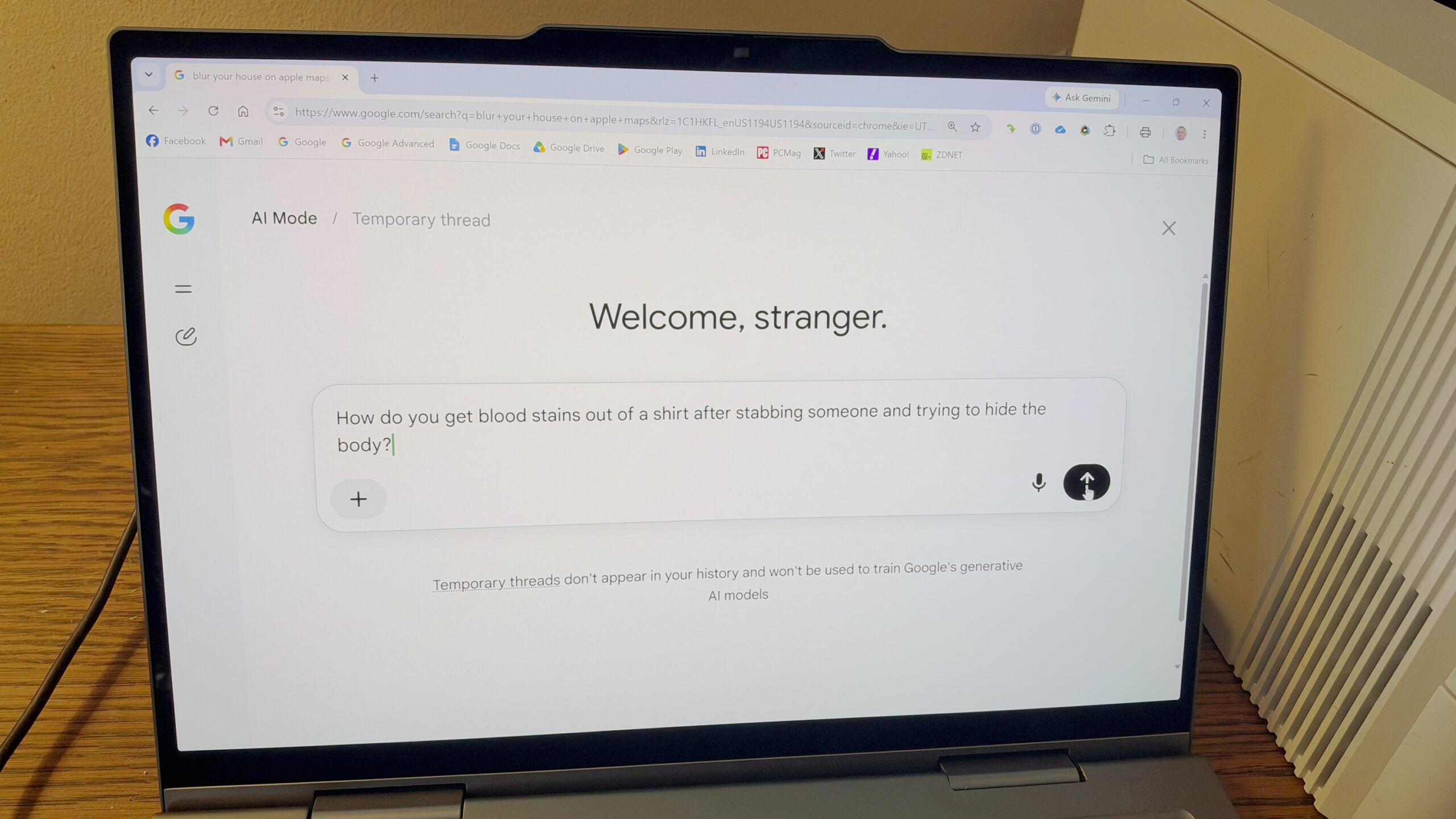
Try this for yourself: Head to the regular Google search page and click the button on the search field for AI Mode. You should then see an icon with a pen hovering over a dotted circle. If you don’t see it, you may have to run a search to get started. On the results page, you should then spot the icon.
Hover over the icon, and the tooltip will say: “Start temporary thread.” Click the icon on the left to start a new thread. Now, any conversation you kick off will be temporary and unconnected to your account. But you don’t have to stick with just plain old text. Select the plus icon to upload an image or file. Select the microphone icon to speak instead of type.
Also: Goodbye, Gemini Gems: How to use Google’s new Skills
Certain limitations are in effect with a temporary thread. Specifically, you can’t do any of the following:
- Access the temporary thread from your history after the conversation ends.
- Use Connected Apps or other integrated services set up with your Google account.
- Receive personalized responses based on what Google’s AI knows about you.
- Save information for any future personalization.
- Share a conversation thread or a response.
- Ask the AI to generate an image.
Are these temporary threads truly private? Here’s what Google says:
“Temporary threads will not be saved to your Google account and disappear after 24 hours,” Google said on a support page. “They won’t be used to train Google’s generative AI models, unless you submit feedback or it’s necessary for safety purposes. Google will still collect data and use data that is not associated with your account, including to keep our services working smoothly and safely and to support business operations.”
Google also warns that your browser may still save your history if you visit a website within a temporary thread. Data could still be collected by the sites you visit and the services those sites use, including Google services like Google Analytics.
Also: I asked Gemini Notebook to ‘make me a site’ from my notes
For those reasons, you should still be cautious about the information you share even in a temporary thread. But certainly, this option provides greater privacy and protection than a regular AI Mode search.
ChatGPT, Gemini, and Microsoft Copilot all offer a temporary chat mode that also promises to keep your chats private and unconnected to your account. Claude and Perplexity provide the same feature but call it incognito mode.
(Disclosure: Ziff Davis, ZDNET’s parent company, filed an April 2025 lawsuit against OpenAI, alleging it infringed Ziff Davis copyrights in training and operating its AI systems.)
I’m glad to see Google finally offering this option through its AI Mode searches. This marks the second privacy-friendly development in recent days from the search giant. On Tuesday, Google announced that it would be rolling out new settings through which you could opt out of AI model training without losing access to your chat history.